
The Complete Legal Operating Environment
Connect the work, people, documents, and decisions behind the practice.
Oravanti brings lead intake, client onboarding, matter management, AI-assisted document drafting, secure collaboration, quality control, attorney review, practice administration, education, training, and firm intelligence into one connected environment.

From First Inquiry to Firm-Wide Intelligence
The complete legal operations journey.
One connected operating-system map — not a row of numbered circles. Click any stage to see the outcome and the role that owns it.
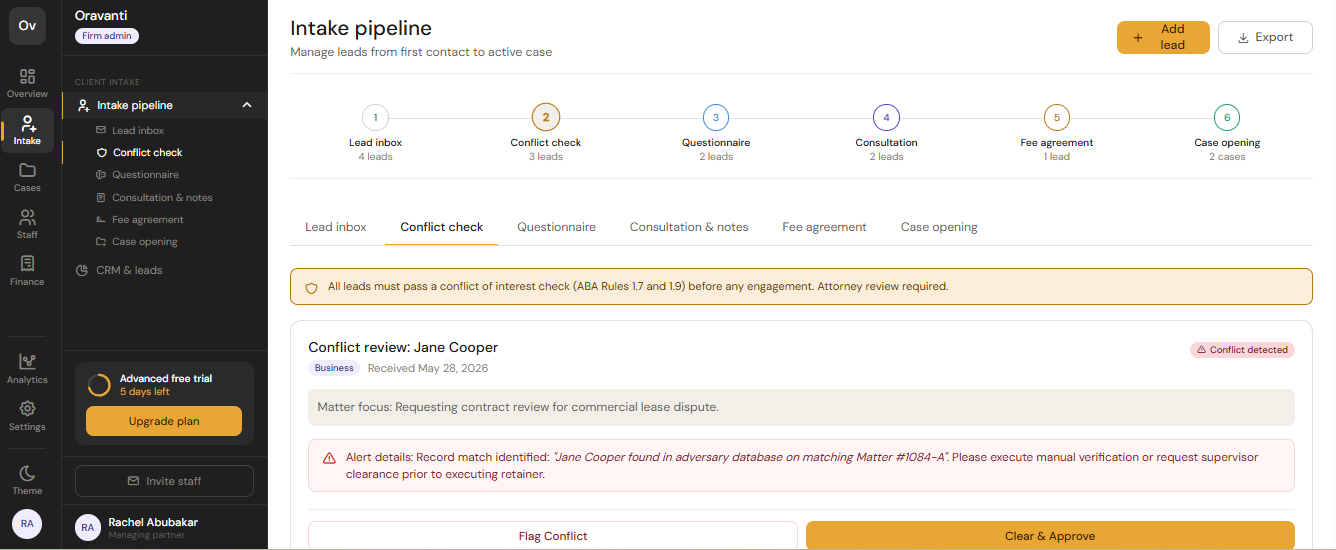
Turn the first inquiry into a trackable process.
Capture new leads, source and referral attribution, contact details, consultation scheduling, follow-up activity, lead stage, conversion status, and the transition from lead to client to matter — with affiliate attribution where applicable.
- New lead capture
- Referral & affiliate attribution
- Consultation scheduling
- Follow-up activity
- Lead → client → matter transition
- Conversion visibility
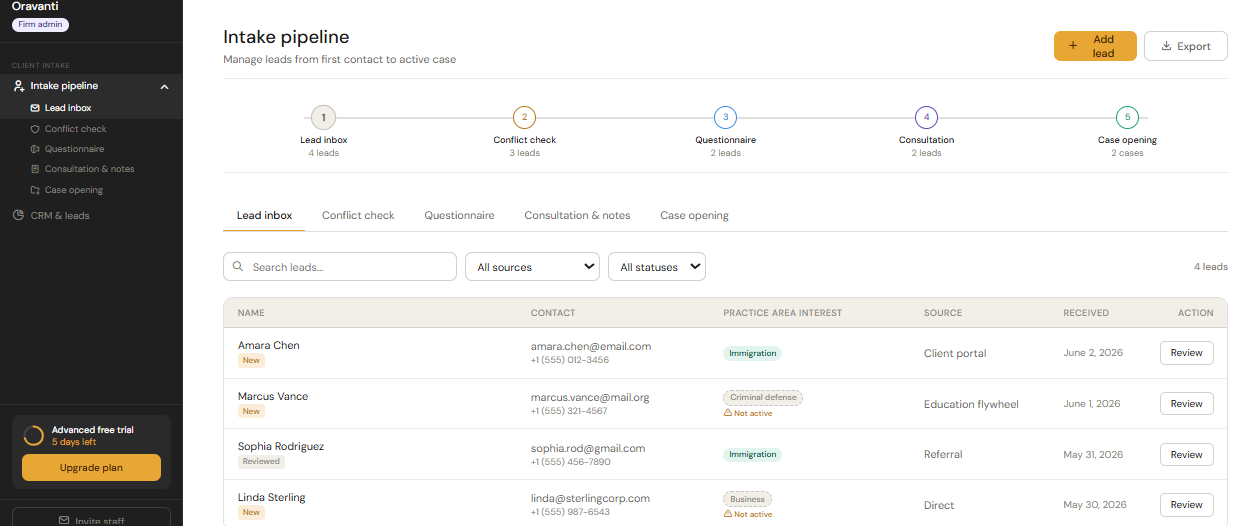
Give every new client and team member a clear next step.
Engagement workflows, firm and client questionnaires, required-information lists, document requests, secure portal invitations, and onboarding-completion tracking.
- Engagement workflow
- Firm & client questionnaires
- Required-information list
- Portal invitation
- Assigned staff
- Onboarding status
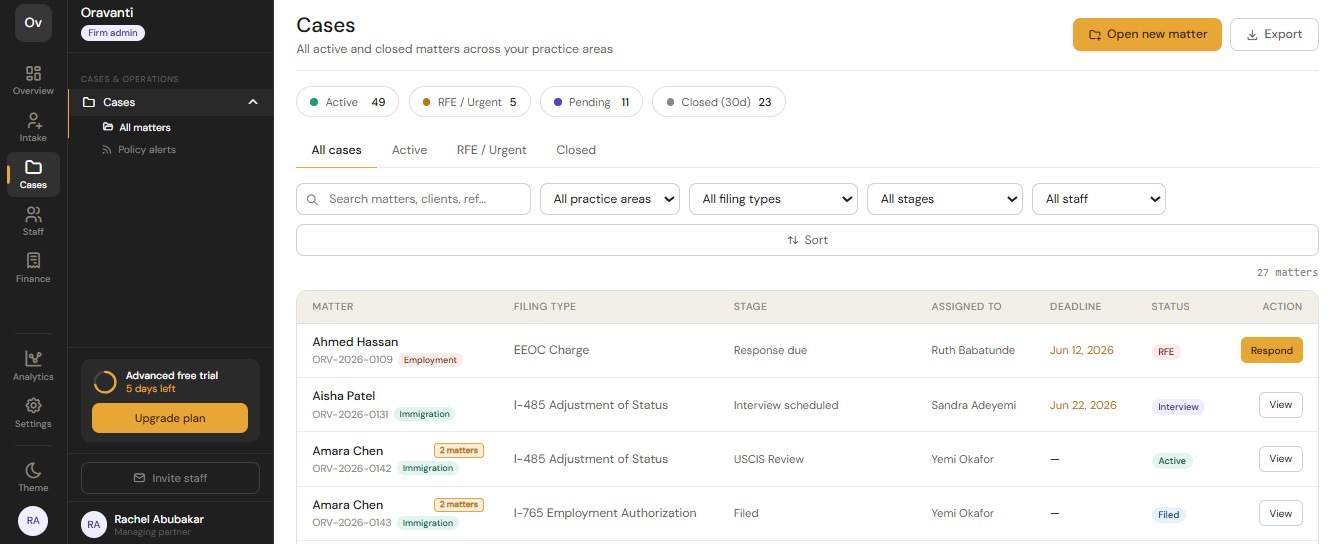
See what is happening and who owns the next action.
Matter stage, type, assigned attorney and paralegal, tasks, deadlines, notes, client messages, documents, review points, matter history, and multi-office visibility.
- Matter stage & type
- Assigned team
- Tasks & deadlines
- Internal notes & messages
- Matter history
- Multi-office visibility
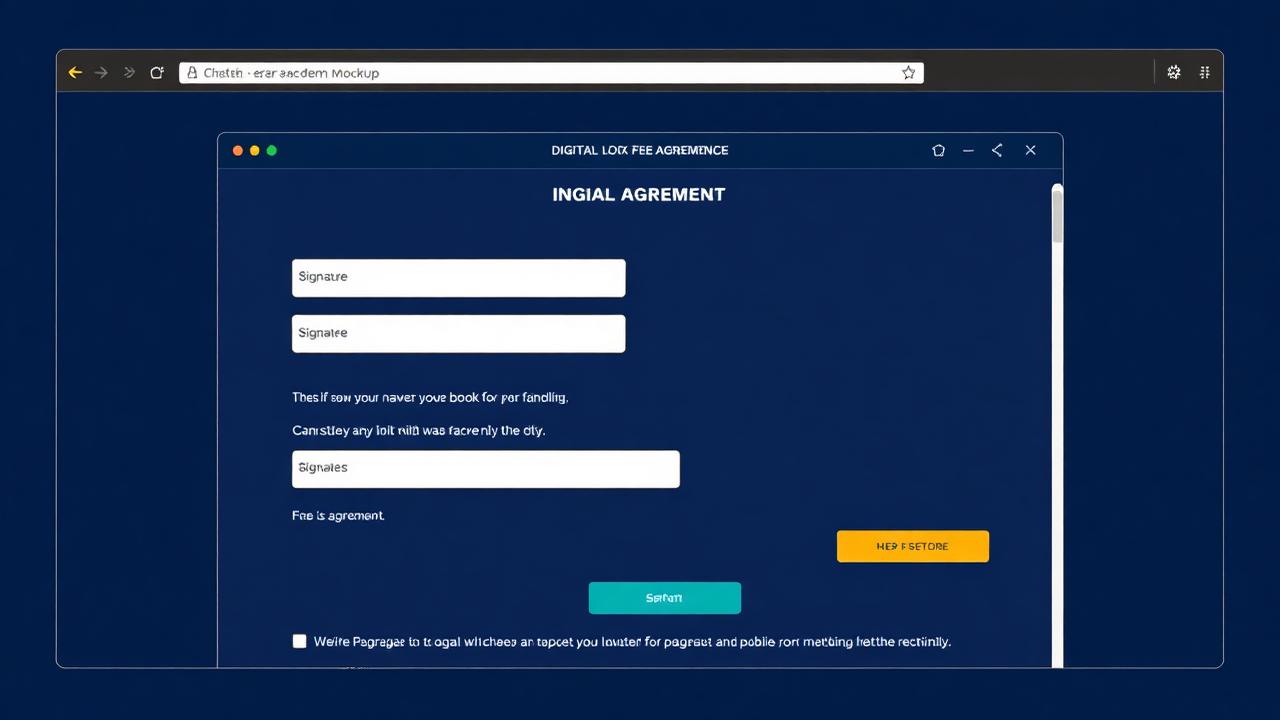
Draft, review, and manage documents without leaving the matter.
From matter data and approved templates through staff review, attorney approval, secure sharing, professional export, and matter-linked storage.
- Templates & snippet library
- AI-assisted drafting
- Evidence references
- Version history & comments
- Attorney approval required
- Professional export
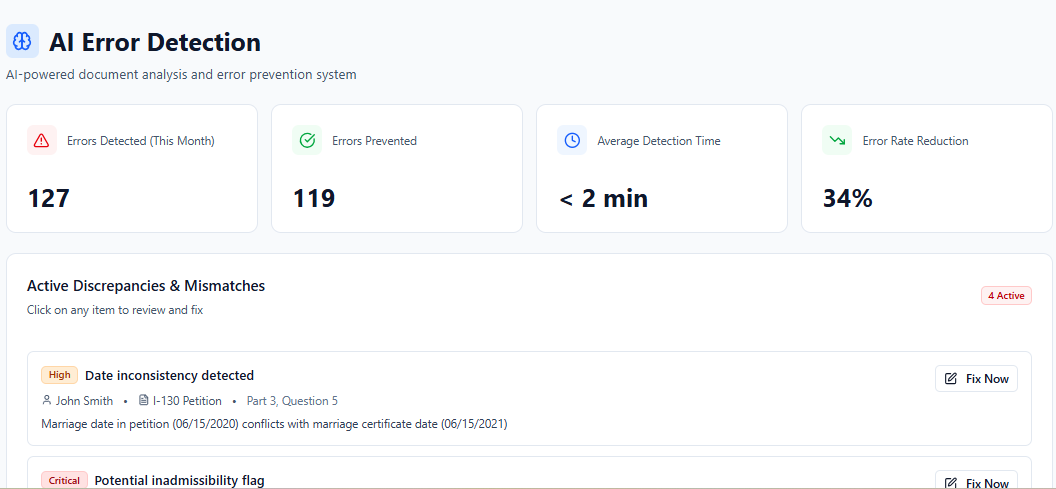
Identify operational gaps before they become downstream problems.
Missing-information prompts, inconsistency detection, evidence-review checkpoints, staff correction assignment, supervisor review, attorney sign-off, and employee-level trend tracking. AI supports the work — not the judgment.
- Missing-information prompts
- Inconsistency detection
- Review queue & escalation
- Attorney sign-off required
- Rejection & error tracking
- Employee-level trends
One secure channel for every party in a matter.
Secure client portal, document upload and request, protected information exchange, role-based permissions, internal and external sharing, contractor-specific access, and matter-linked communications.
- Secure portal
- Document upload & request
- Role-based permissions
- Contractor-specific access
- Matter-linked messages
- Access termination
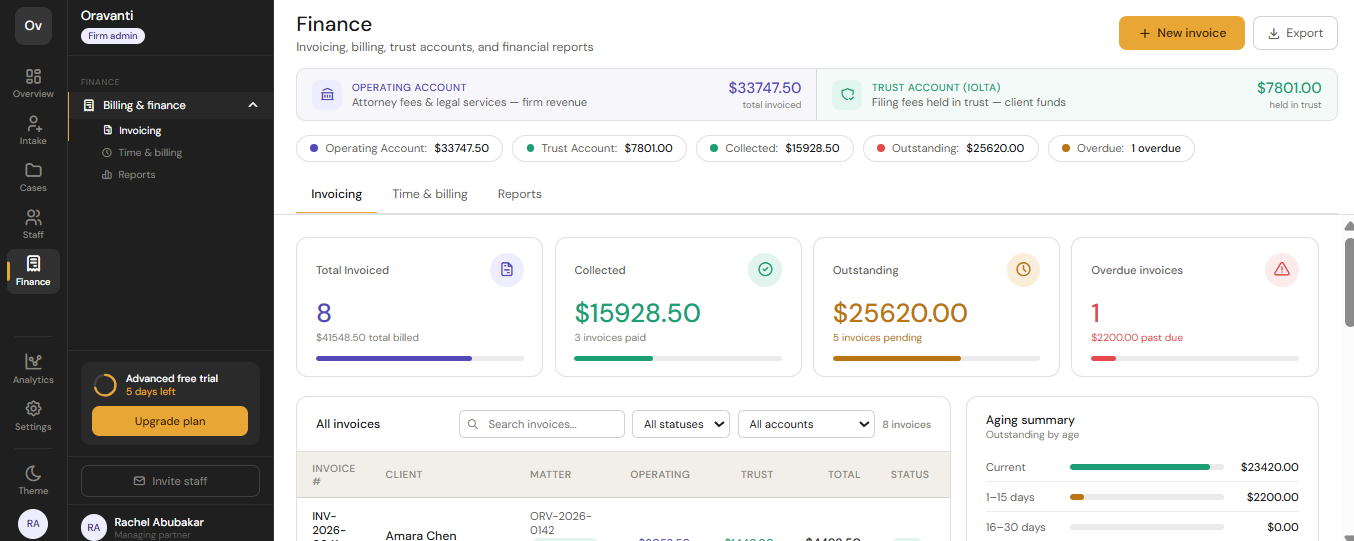
The command center behind the practice.
Consultation scheduling, calendars, payments, billing support, trust and operating-account separation, referral attribution, subscription administration, permissions, office settings, firm branding, and multi-office visibility.
- Consultation scheduling
- Firm & staff calendars
- Payments & billing support
- Trust / operating separation
- Subscription administration
- Firm branding
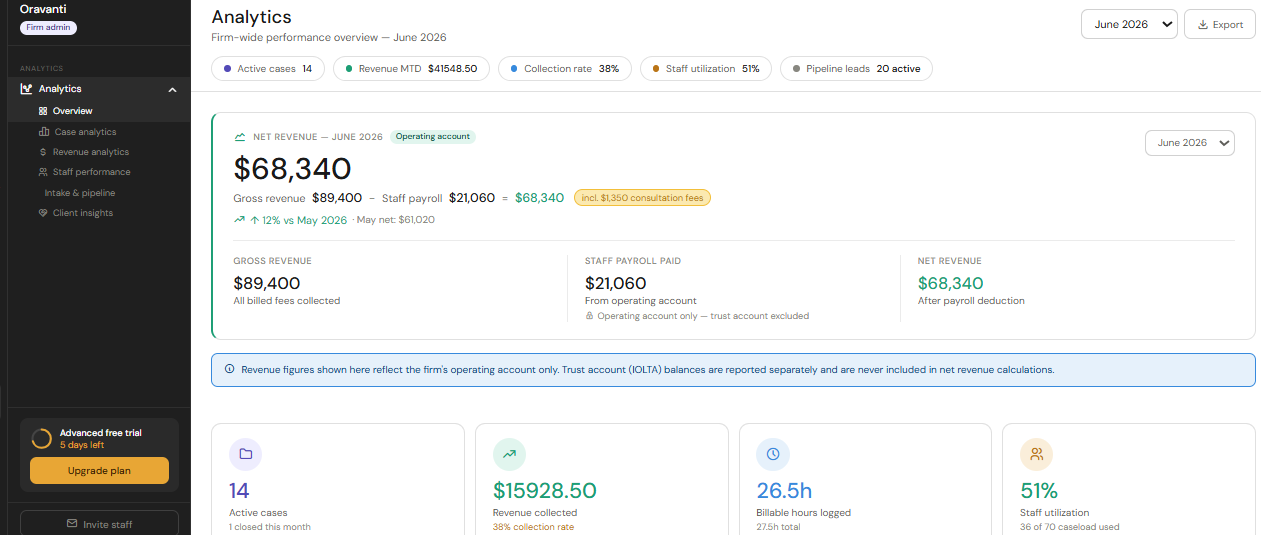
See the firm. Run the firm.
Leadership dashboards across lead conversion, matter volume, stage distribution, review queues, workload, task completion, missing-information trends, training completion, and revenue visibility.
- Lead conversion
- Matter-stage distribution
- Review queue & workload
- Missing-information trends
- Training completion
- Office comparison
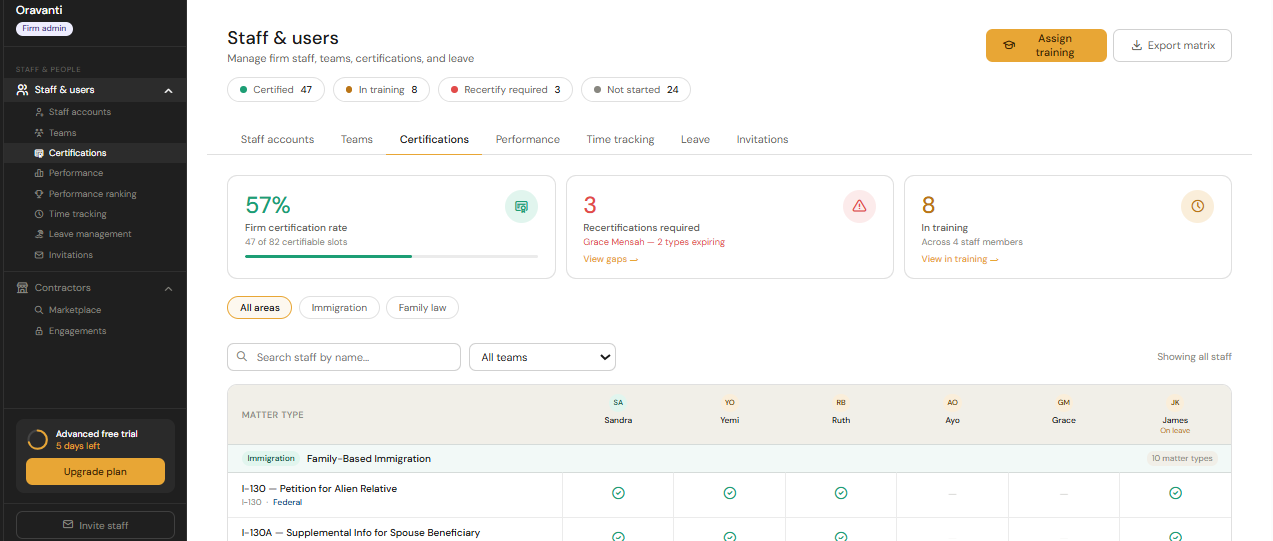
Client education and staff certification, inside the platform.
White-label client education paired with role-based staff training, SOP libraries, knowledge checks, and competency visibility connected to matter workflows.
- White-label client education
- Role-based staff training
- SOP libraries
- Knowledge checks
- Firm-defined completion credentials
- Manager visibility
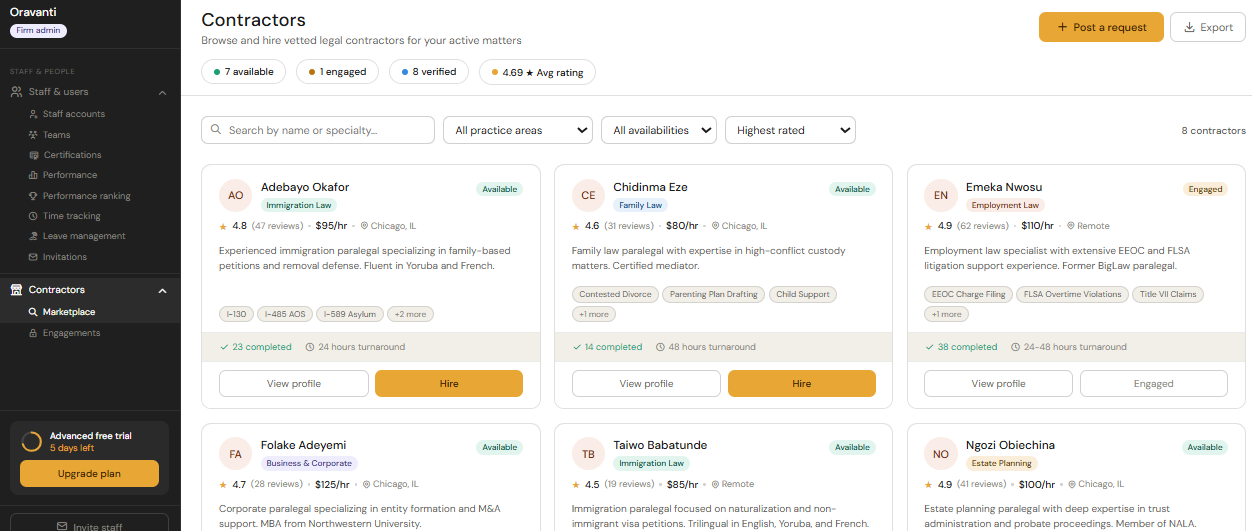
Add capacity without losing operational control.
Structured onboarding, defined scope, controlled access, and engagement tracking for qualified legal-support professionals — matched by specialty, language, and availability.
- Specialty & language matching
- Defined scope
- Controlled access
- Engagement tracking
- Credential visibility
- Access removal
Document Lifecycle
From matter information to attorney-approved document.
- 1Matter Information
- 2Template Selection
- 3Approved Snippets
- 4AI-Assisted Draft
- 5Evidence Connection
- 6Staff Review
- 7Quality-Control Check
- 8Attorney Review
- 9Attorney Approval
- 10Secure Sharing
- 11Professional Export
- 12Matter Storage
Attorney approval required before external release.
Role-Based Access
The right people see the right things.
Every role gets exactly the access their work requires — nothing more, nothing less.
| Capability | Attorney | Staff | Client | Contractor | Admin |
|---|---|---|---|---|---|
| Matter workspace | |||||
| Documents & drafts | |||||
| Attorney approval | — | — | — | ||
| Client messages | |||||
| Billing & payments | — | ||||
| User permissions | — | — | — | ||
| Firm reporting | — | — |
Category Comparison
One connected environment vs. stitched-together tools.
| Capability | Traditional Practice Software | Document / AI Tool | Training Platform | Staffing Marketplace | Oravanti |
|---|---|---|---|---|---|
| Lead intake & CRM | Typical | Separate system required | Separate system required | Separate system required | Included |
| Client onboarding | Limited | Separate system required | Separate system required | Separate system required | Included |
| Matter management | Typical | Separate system required | Separate system required | Separate system required | Included |
| Document drafting | Limited | Typical | Separate system required | Separate system required | Included |
| Secure document storage | Typical | On some plans | Separate system required | Separate system required | Included |
| Client portal | On some plans | Separate system required | Separate system required | Separate system required | Included |
| Quality-control workflows | Limited | Limited | Separate system required | Separate system required | Included |
| Attorney approval workflow | Limited | Separate system required | Separate system required | Separate system required | Included |
| Practice administration | Typical | Separate system required | Separate system required | Separate system required | Included |
| Staff training | Separate system required | Separate system required | Typical | Separate system required | Pilot |
| White-label client education | Separate system required | Separate system required | Limited | Separate system required | Pilot |
| Contractor marketplace | Separate system required | Separate system required | Separate system required | Typical | In development |
| Connected legal operations analytics | Limited | Separate system required | Separate system required | Separate system required | Pilot |
| Connected operating environment | Limited | Separate system required | Separate system required | Separate system required | Included |
Connected Analytics Across the Legal Organization
| Traditional legal software | Oravanti |
|---|---|
| Reports mainly on cases, tasks or billing | Connects case, workforce, training, client, quality, document, communication and financial analytics |
| Measures completed activity | Helps authorized leaders understand relationships among work, learning, quality and capacity |
Oravanti connects operational analytics across cases, workflows, training, competency, client participation, document quality, communications, financial activity and team capacity.
Education & Workforce Connection
The work generates the training. The training feeds the workforce.
Matter workflows create training needs → training improves staff readiness → training records support competency visibility → contractor profiles surface training status → firm needs match to qualified contractors → reporting shows the gaps.
- 1Matter workflow reveals a training need
- 2Training assigned to staff role
- 3Knowledge check confirms readiness
- 4Competency recorded in the profile
- 5Contractor profiles surface training status
- 6Firm need matched to qualified contractor
- 7Reporting shows training + staffing gaps
The foundation beneath everything.
Human oversight, role-based access, accountability, data integrity, secure migration, and operational visibility — the same operating foundation across every part of Oravanti.
Oravanti does not provide legal advice, predict case outcomes, or replace attorney review.